WHRO+ Frequently Asked Questions
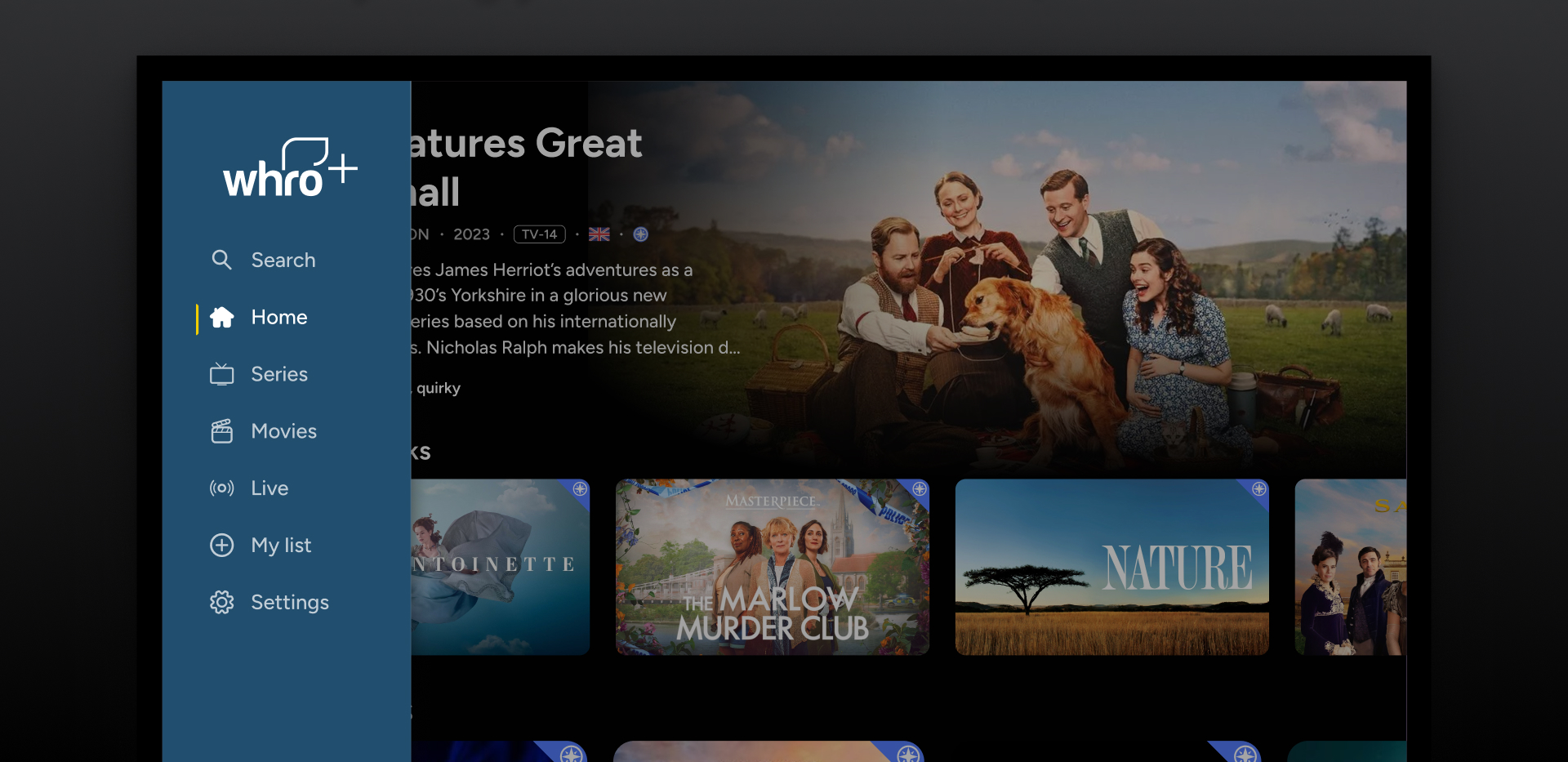
Is the WHRO+ app free?
Yes! The WHRO+ app is free to download and use. It has the local and PBS programs you love and offers live WHRO TV broadcast channels from WHRO Public Media when streamed within WHRO Public Media's broadcast area*.
Where is the WHRO+ app available?
| Platform | Devices | App Store | Supported versions |
|---|---|---|---|
| iOS and iPadOS | iPhone and iPad | Apple App Store< | iOS and iPadOS 16 or later |
| Android | Android phones and tablets | Google Play | Android 7.0 or later |
| Apple TV | Apple TV 4K and Apple TV HD | Apple App Store for tvOS | tvOS 16 or later |
| Android TV and Google TV | Chromecast with Google TV, Nvidia Shield, and compatible smart TVs running Google TV or Android TV, including select Sony TVs | Google Play | Android 7.0 or later |
| Fire TV | Fire TV Stick, Fire TV Cube, and Fire TV smart TVs | Amazon Appstore | Fire OS 6 or later |
| Roku | Roku streaming players and Roku TVs | Roku Channel Store | Roku OS 15.1 or later |
| Samsung TV | Samsung Smart TVs running Tizen | Samsung Apps | 2022 models or newer with Tizen 6.5 or later |
| LG TV | LG Smart TVs running webOS | LG Content Store | 2020 models or newer with webOS 5 or later |
| Web | Desktop and mobile browsers | video.whro.org | Current versions of Chrome, Safari, Firefox, and Edge |
To install the app, search for “WHRO” in your device’s app store. You can also watch WHRO+ online at video.whro.org.
What viewing features does WHRO+ support?
- Casting: Use AirPlay from an iPhone or iPad, or cast to a Chromecast from an Android phone or tablet. Some programs are available only to viewers in the United States.
- Picture-in-Picture: Available on iPhone, iPad, and Android phones. This feature lets you continue watching in a floating window while using other apps.
- Tablet viewing: The iPad and Android tablet apps support both portrait and landscape orientations.
Which devices are not supported?
WHRO+ does not currently offer an app for:
- Vizio SmartCast TVs
- Comcast Xfinity X1 or Flex
- Xumo TVs
- Amazon Fire tablets
- Samsung TVs manufactured before 2022
- LG TVs manufactured before 2020
What if my smart TV is not supported?
If your smart TV is too old to run WHRO+ or does not support the app, you can still watch by connecting a compatible streaming device through an HDMI port. Supported options include Roku, Fire TV, Apple TV, and Chromecast with Google TV.
How do I install the WHRO+ app?
- Search for "WHRO" in the app store on your streaming or mobile device.
- Download it!
If you are using a web browser, go to video.whro.org.
How do I activate the WHRO+ app?
- If you already have a free PBS account, use your existing credentials to sign in.
- If you don't have a free PBS account, you can create one after installing the app or visiting video.whro.org in your web browser.
- You're ready to start streaming your favorite programs!
On Amazon Fire TV, Android/Google TV, Samsung TV, and LG TV platforms, your screen will show a 6-digit code and instruct you to activate. (Note: If you are using a web browser, you will sign in directly on the website and will not need a code).
You have two ways to do this:
- Go to WHRO.org/activate on your cell phone, tablet, or computer.
- Scan the QR code displayed on your TV screen using your mobile device.
Once you're on WHRO.org/activate, enter the 6-digit code. After that, you'll see a screen asking if you want to sign in or create a new account. Choose the option that applies to you.
I just made a donation today. Can I access WHRO+ Passport?
If you donated online or over the phone at the $96 level or higher (or at least $8 monthly), your WHRO+ Passport is ready to be activated. Wait for 30 seconds, and your WHRO+ Passport will activate within the app. You can also sign out of the WHRO+ app on your streaming device or your web browser, and then sign in again with the same email address used for your donation. You're ready to stream!
I already have WHRO Passport. Does it work with the WHRO+ app?
Yes, your WHRO Passport works with WHRO+! Just sign in to the WHRO+ app using your free PBS account, or access WHRO+ through any web browser on your computer, and you're ready to stream.
Can I watch live TV via the WHRO+ app?
Yes, you can watch live TV through the WHRO+ app or through any web browser on your computer.
Simply open the WHRO+ app and navigate to the Live menu. You'll have access to seven channels free of charge.
- Within WHRO Public Media's broadcast area*: All viewers can watch live WHRO TV broadcast channels.
- Outside WHRO's broadcast area but within the U.S.: You can stream live WHRO TV channels with a WHRO+ Passport membership.
WHRO 15 - Our flagship channel that features the best of PBS and local programming for the discerning viewer. Trusted. Valued. Essential.
WHRO World - Deep dives into our world’s diverse cultures and natural wonders, accompanied by trusted journalism from varying perspectives around the globe.
WHRO Create - WHRO Public Media's Lifestyle Channel, Create TV brings you cooking, travel, home improvement, gardening, arts & crafts and more.
WHRO Kids - Our 24/7 broadcast of the popular education programs that PBS is known for, including Sesame Street, Daniel Tiger’s Neighborhood, Carl the Collector, and more.
FNX - First Nations Experience Television exclusively devoted to Native American and World Indigenous content.
NHK WORLD-JAPAN - International service of Japan's public media organization NHK. It provides the latest information on Japan and Asia to a global audience 24/7.
France 24 - France 24, the international news channel, broadcasts 24/7 to 533 million households around the world. France 24 gives a French perspective on global affairs through a network of 200 correspondents located in nearly every country.
If I do not have the WHRO+ app, will I still be able to watch shows on WHRO's website?
Yes, WHRO+ is easily accessible through any web browser on your computer; you don't need to download a separate app.
WHRO+ Passport provides extended access to a rich library of content for WHRO members to enjoy. Certain content, including news and public affairs programs, will be accessible to everyone.
All broadcast content remains available to all viewers per our broadcast schedule and will be available for at least two weeks and, in some cases, longer. The nearrangement allows for ample viewing of excellent content, though for a more limited time for some programs.
Didn't find your answer here?
Email us at whroplus@whro.org or call 757-889-9310.
* WHRO Public Media's broadcast area contains the following cities and counties: Accomack County, VA , Chesapeake City, VA, Currituck County, NC, Gates County, NC, Gloucester County, VA, Hampton City, VA, Isle of Wight County, VA, James City County, VA, Mathews County, VA, Middlesex County, VA, Newport News City, VA, Norfolk City, VA, Poquoson City, VA, Portsmouth City, VA, Suffolk City, VA, Virginia Beach City, VA, Williamsburg City, VA York County, VA, Northampton County, VA.